7.2.7 Claim History
Navigate to the Claims tab menu option and select Claim History/Claim Reversal.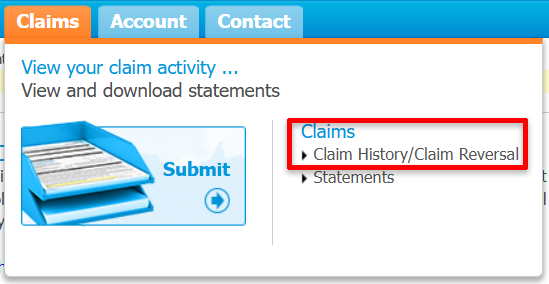
These next screens will allow you to review all of the Claim details you have submitted, as well as reverse any Claims that may have been processed in error.
Examples of Errors
Examples of errors may include but are not limited to:
Incorrect Member
Incorrect dollar amount
Incorrect expense/Item
Incorrect Service date
Searching Claim History
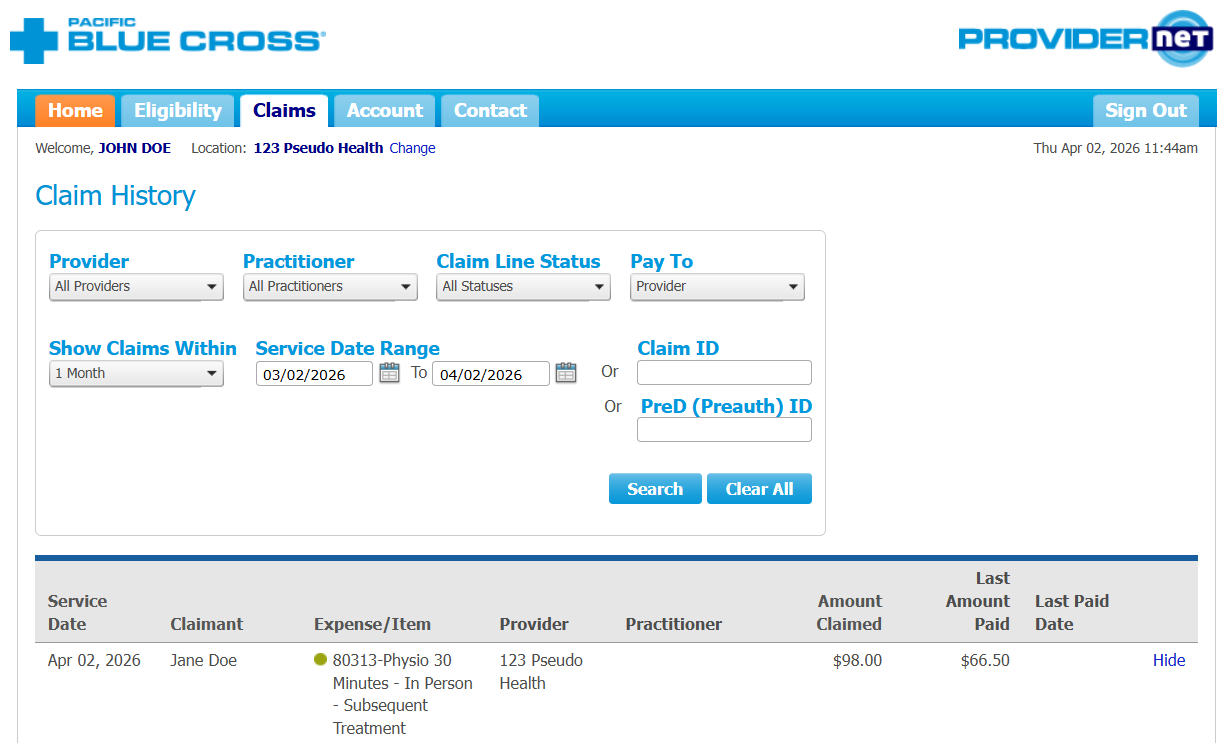
Depending on your administrative needs, you can search through your Claims in different ways. You can look at all the Claims in a pre-set date range, within a specific date range, or by the Claim ID number.
Pre-set Date Range
Select from common date ranges (e.g., Last 30 days, Last 3 months)
Custom Date Range
Specify exact start and end dates
Claim ID
Search for a specific claim using its unique ID number
View Details
You can view the details of a Claim by clicking on the Details button.
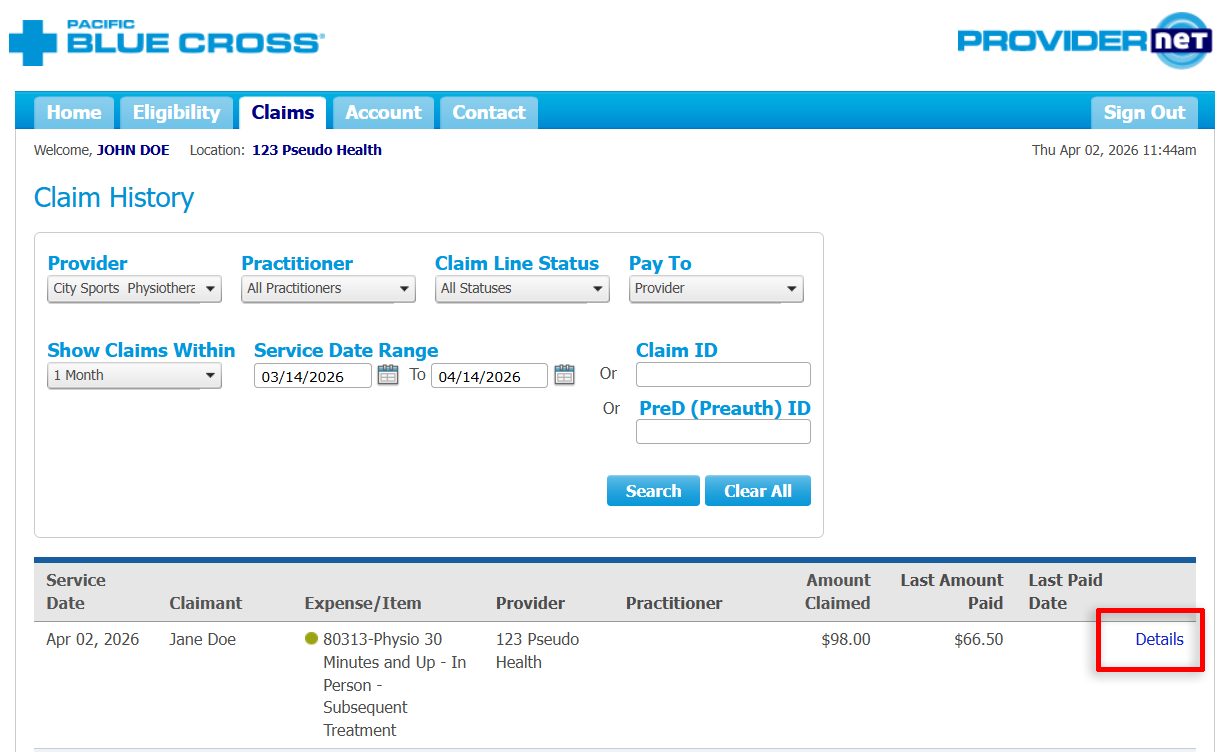
Reviewing the Claim Details section below will also allow you to see:
Eligible amounts
Deductible
Co-payments
Paid amounts
You can also view if another carrier paid or another Pacific Blue Cross Policy paid any portion of the Claim.