
Employer Guide to the Enrollment Form - HBT
With Digital Member Enrollment, adding new employees is easy and takes just a few minutes.
Employers invite new employees to enroll, enabling them to provide their details directly to Pacific Blue Cross. This means that employers are no longer required to collect and input this information themselves.
Once you have invited a new employee to enroll through ADMINnet, the employee will receive the following email. If they do not receive this email, please ask that they check their junk or spam folder.
The employee will click START ENROLLMENT to access the enrollment form.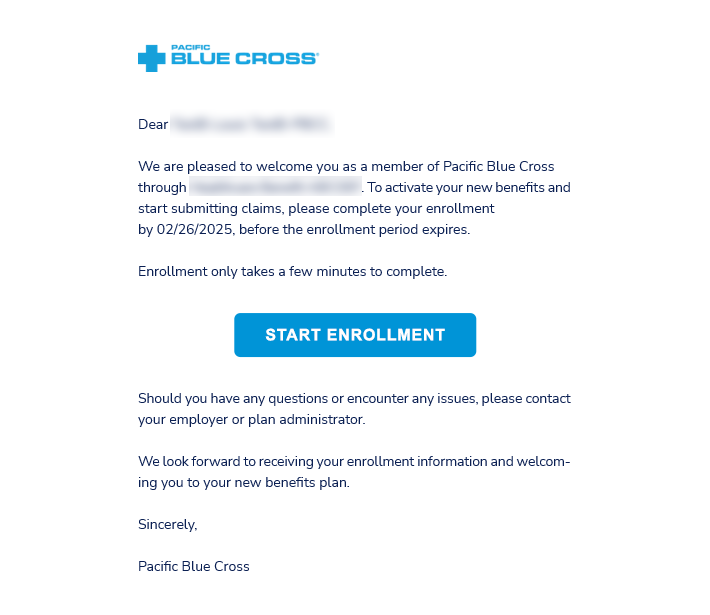
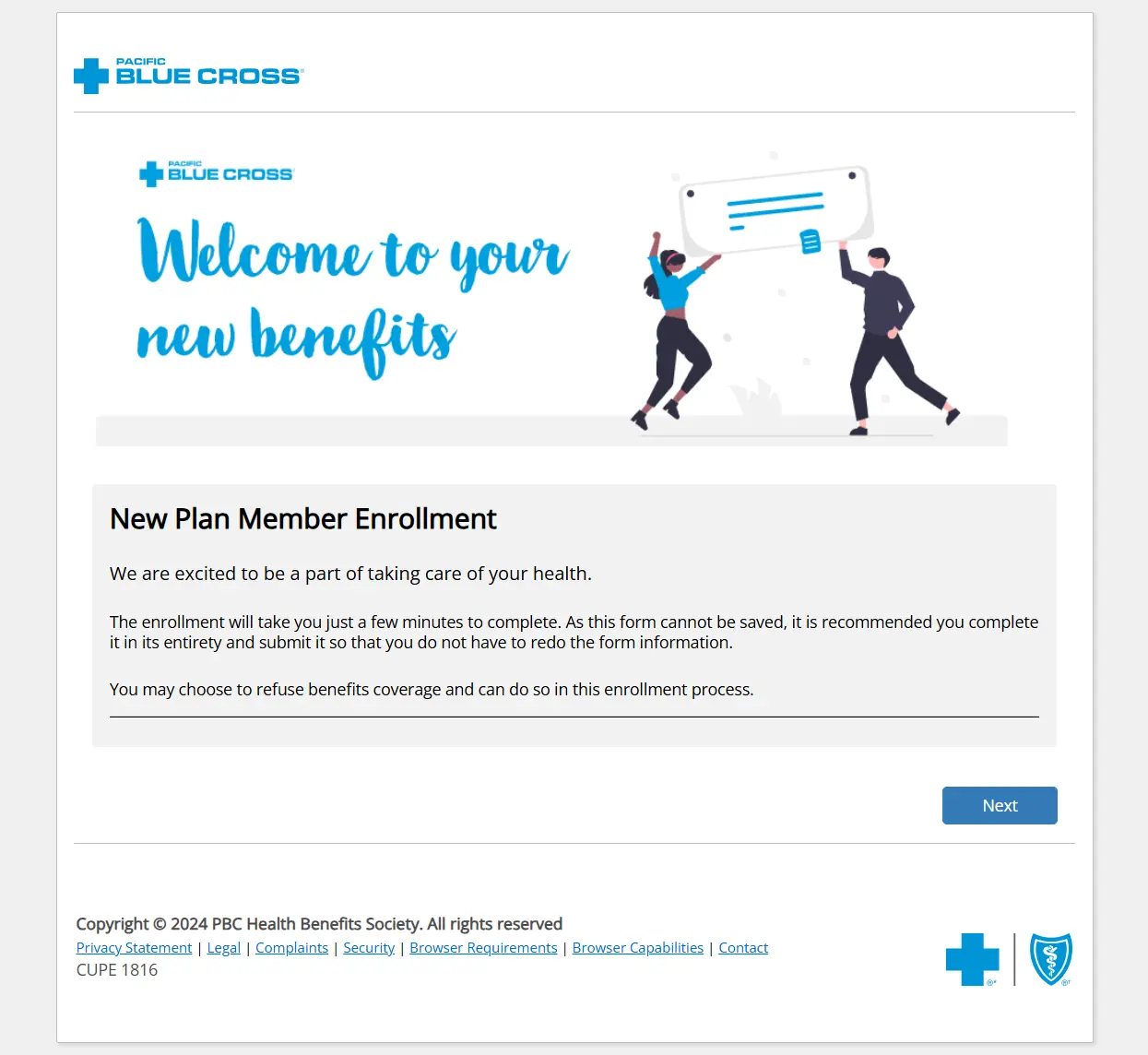
The employee will be taken to this homepage. From here, they will be guided through the following steps.
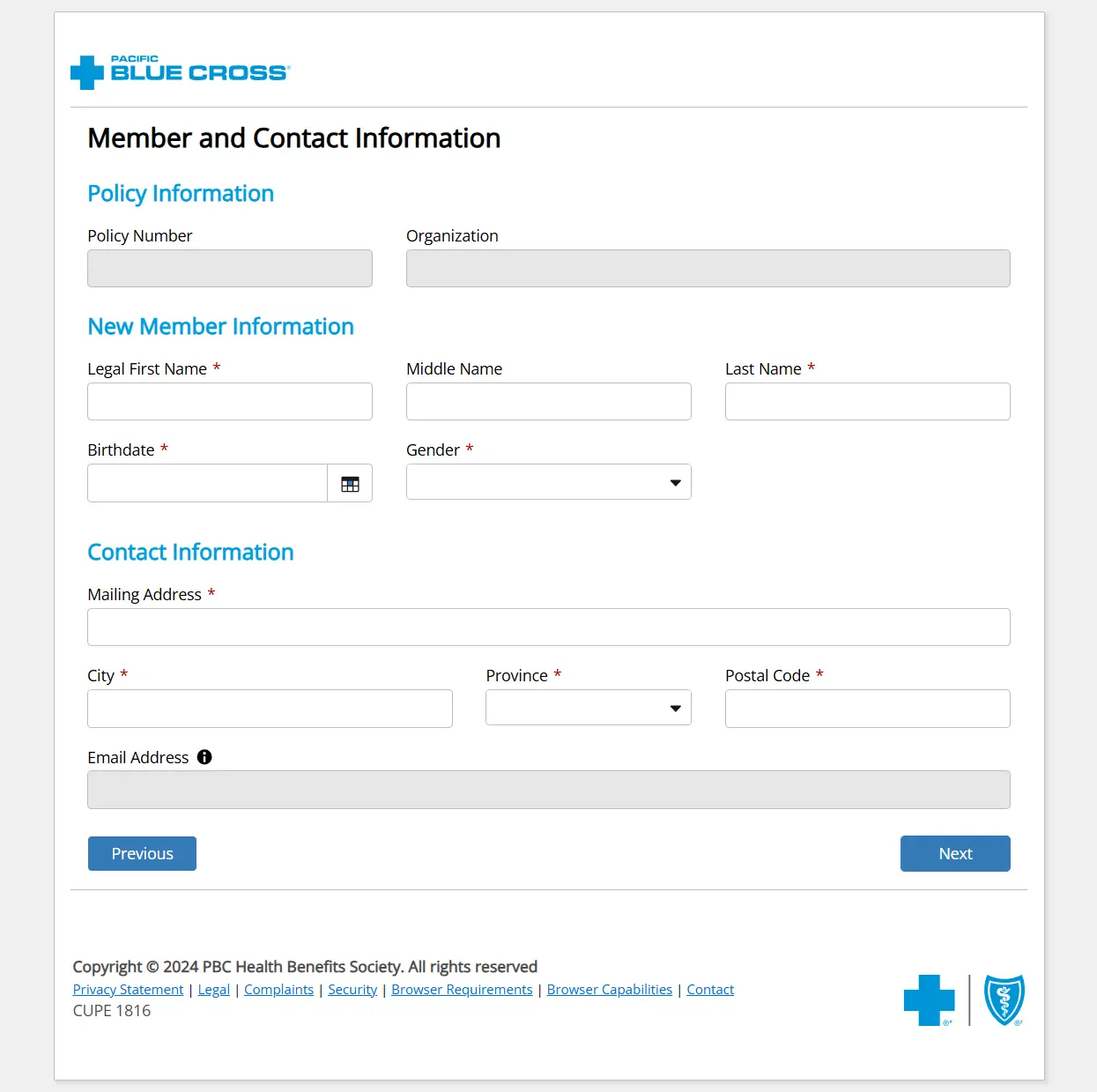
- The employee will be prompted to fill in their personal information. The information in the greyed-out sections will be pre-populated and cannot be changed.
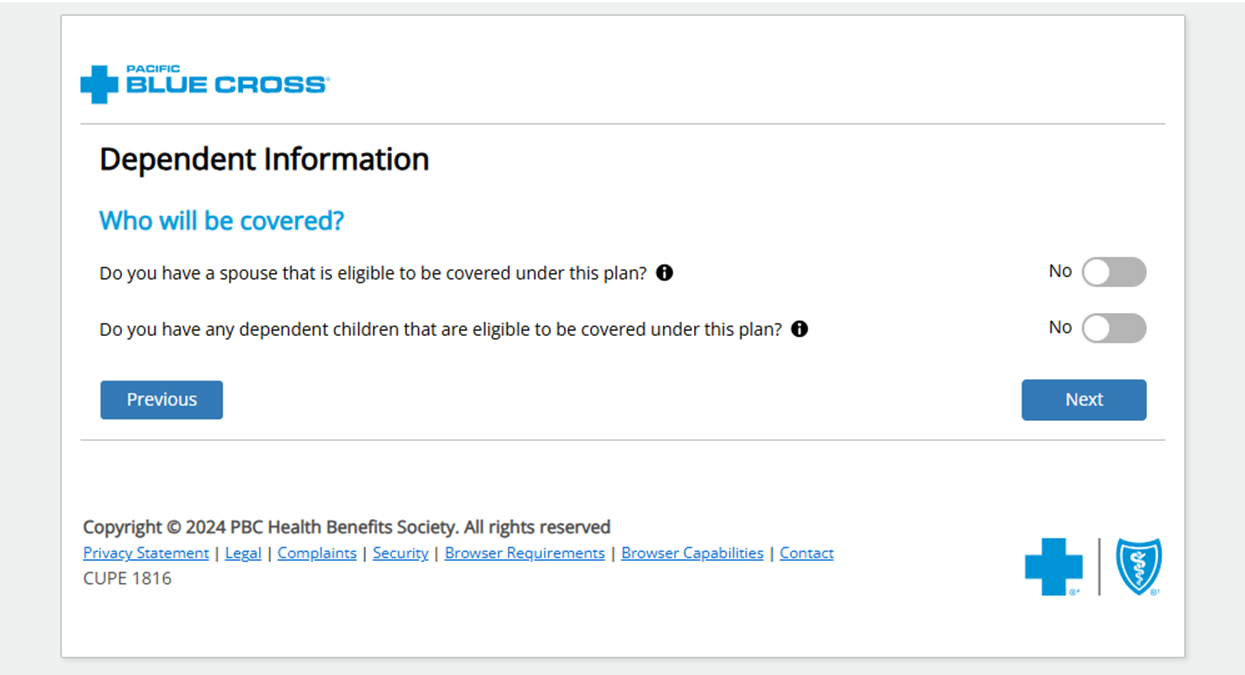
- On the following page, if the employee has dependents, they will toggle the buttons to indicate that they have a spouse and/or dependent child(ren).
- If the employee toggles “Yes” to indicate that they have a spouse or dependent child(ren), they will be taken to a Dependent Information section, where they will be prompted to fill out their dependent’s personal information.
-
Under the Dependent Child Details section, they can toggle to indicate if their dependent is a full time post-secondary student and/or if their dependent has disabilities.
-
The employee also has the option to Add Another Dependent.
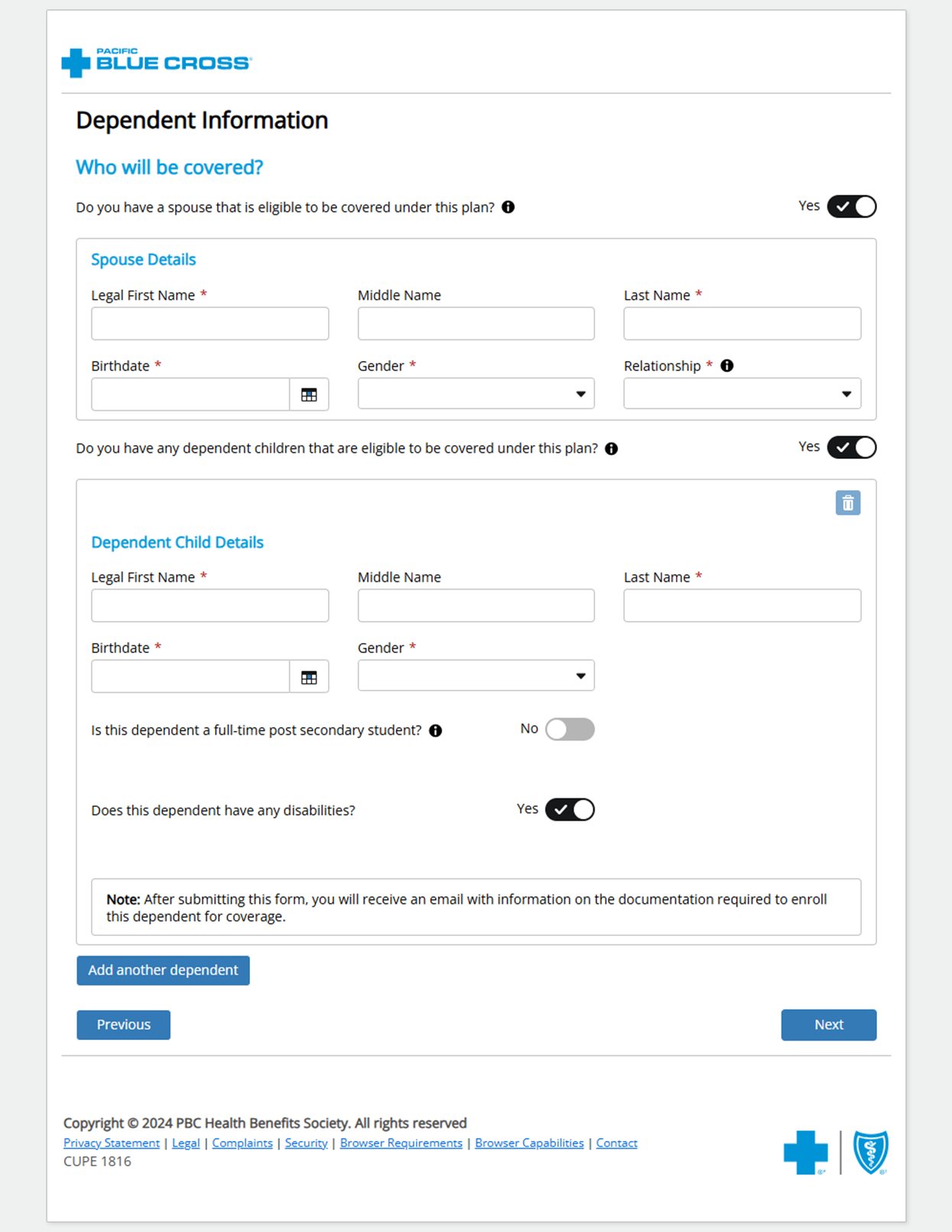
- If the employee indicates that a dependent has disabilities, they will be sent an email prompting them to provide proof of disability, which will be submitted to the employer.
- The final page of the form is the Agreement, which the employee must read through and check three separate boxes in order to proceed.
On this page, the employee will be prompted to add their signature before clicking Submit.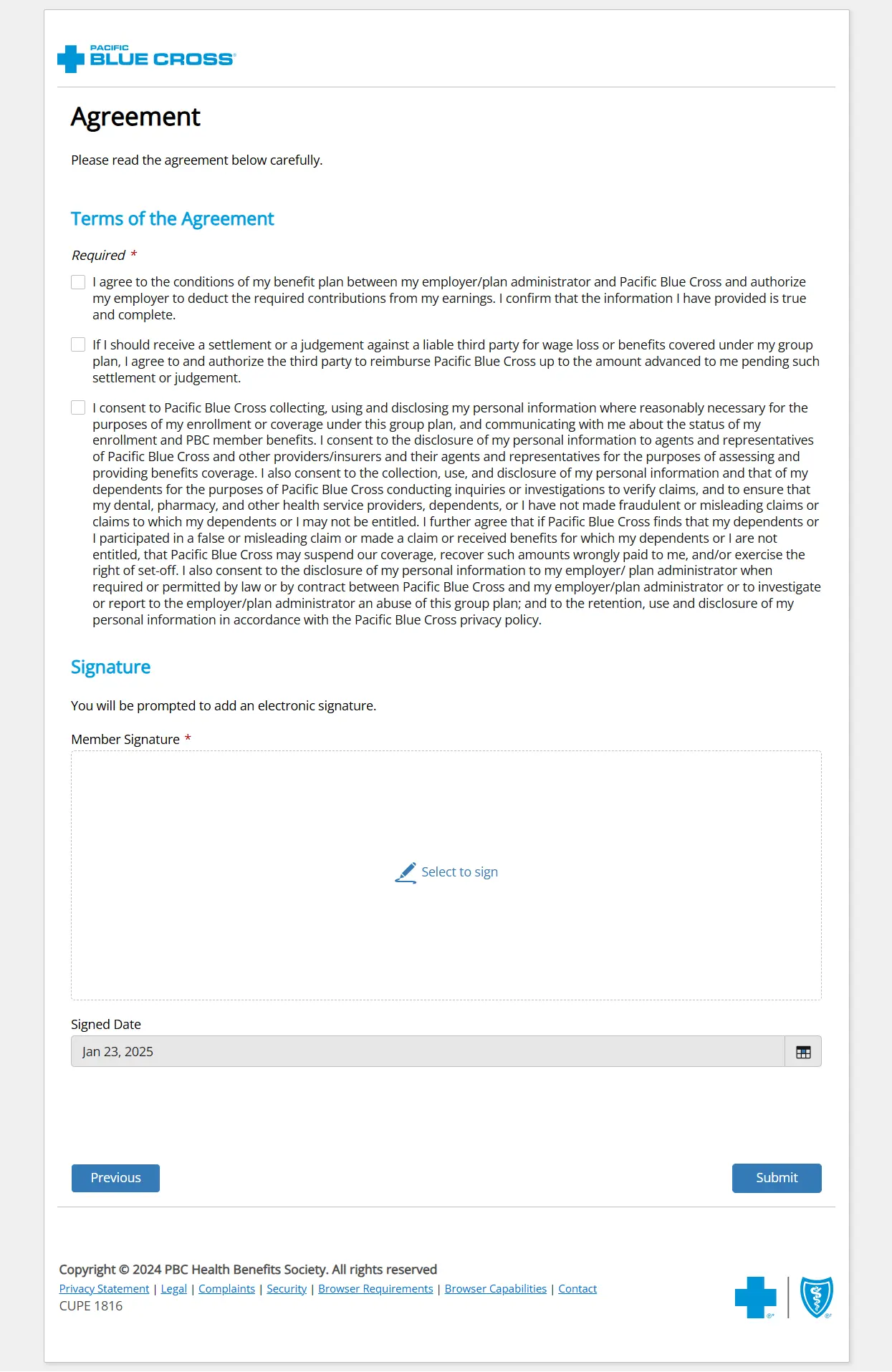
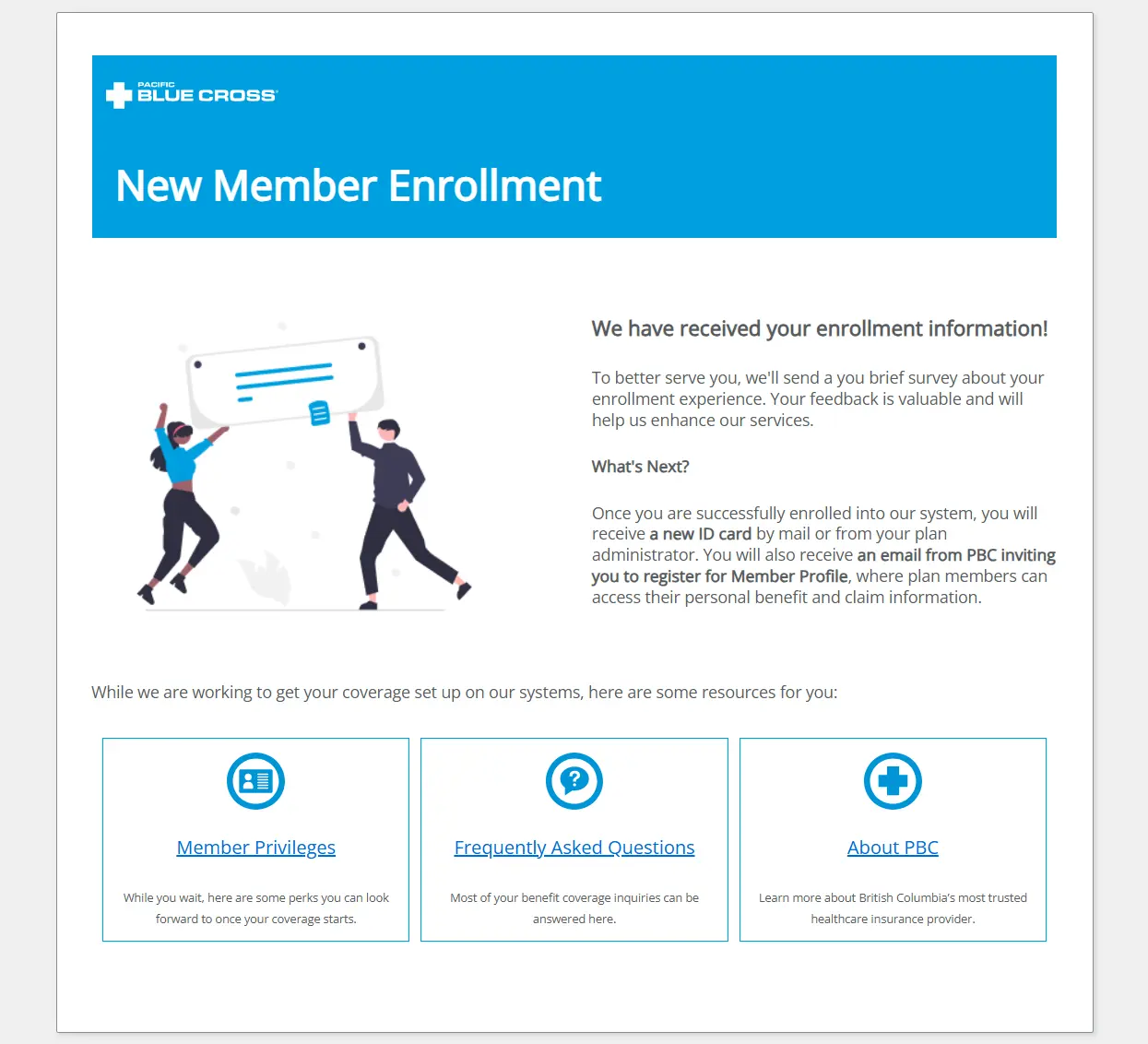
- The employee will be taken to a confirmation page. From here, they can explore other resources including FAQs and About Pacific Blue Cross.
-
The employee will also receive an email inviting them to register for Member Profile, so they can access their benefits information and submit online claims. In order to register for Member Profile, they will need their Policy Number and ID Number, which will be included on the Pacific Blue Cross ID card that they will receive by mail at their registered address. Employers can also easily find this information in ADMINnet.
-
The employee will receive a brief feedback survey asking for their comments on the Digital Member Enrollment process, so we can continue to improve our systems.